01 · Completeness
Capture important details before they are forgotten.
Structured fields guide officers through incident, person, vehicle, crash, and narrative information while they are still working the call.
BlueLineNote catches missing fields before a report reaches a supervisor—so reports come in more complete the first time, supervisors return less work, and officers spend less time redoing paperwork and more time proactive and visible in the community, where agencies need them most. What the device holds is a draft — the report exists once your agency processes and files it.
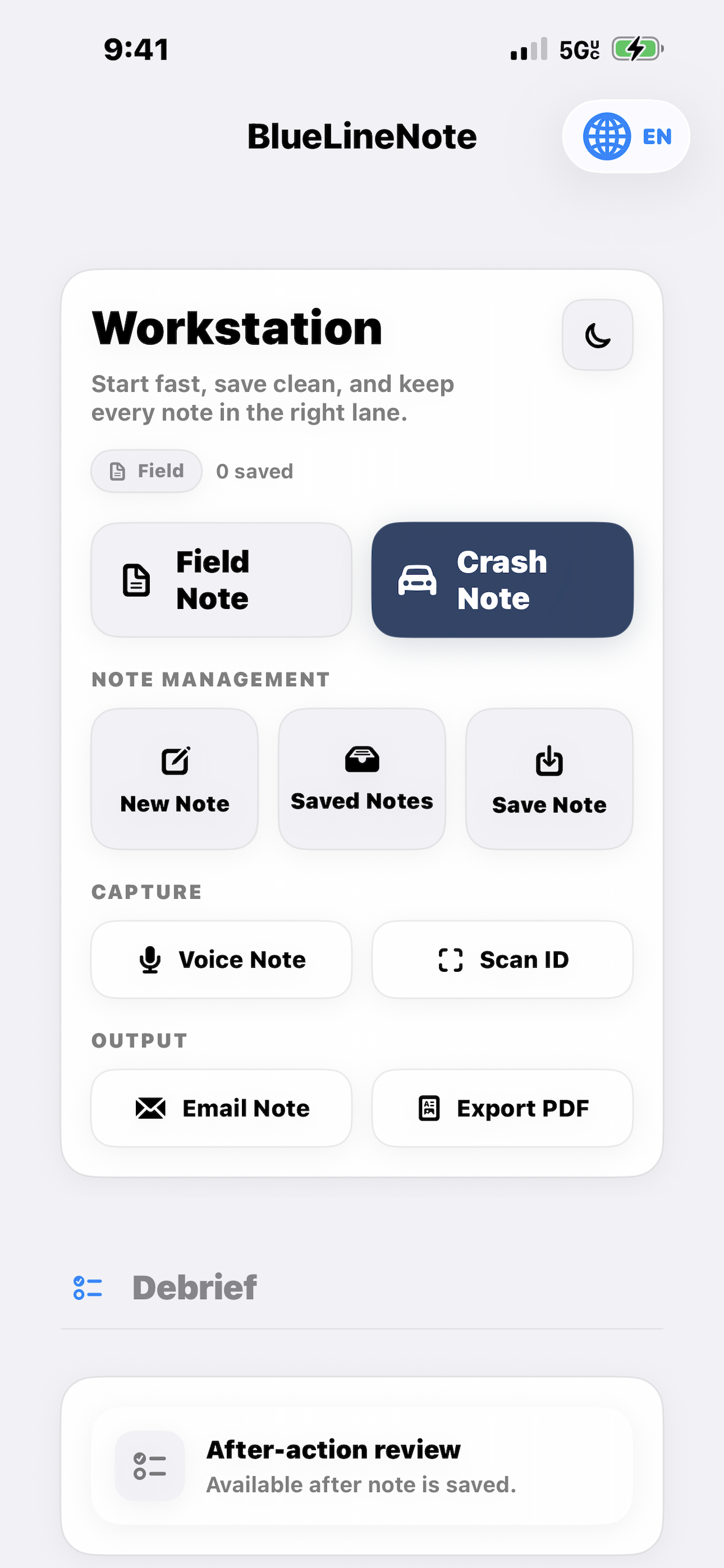
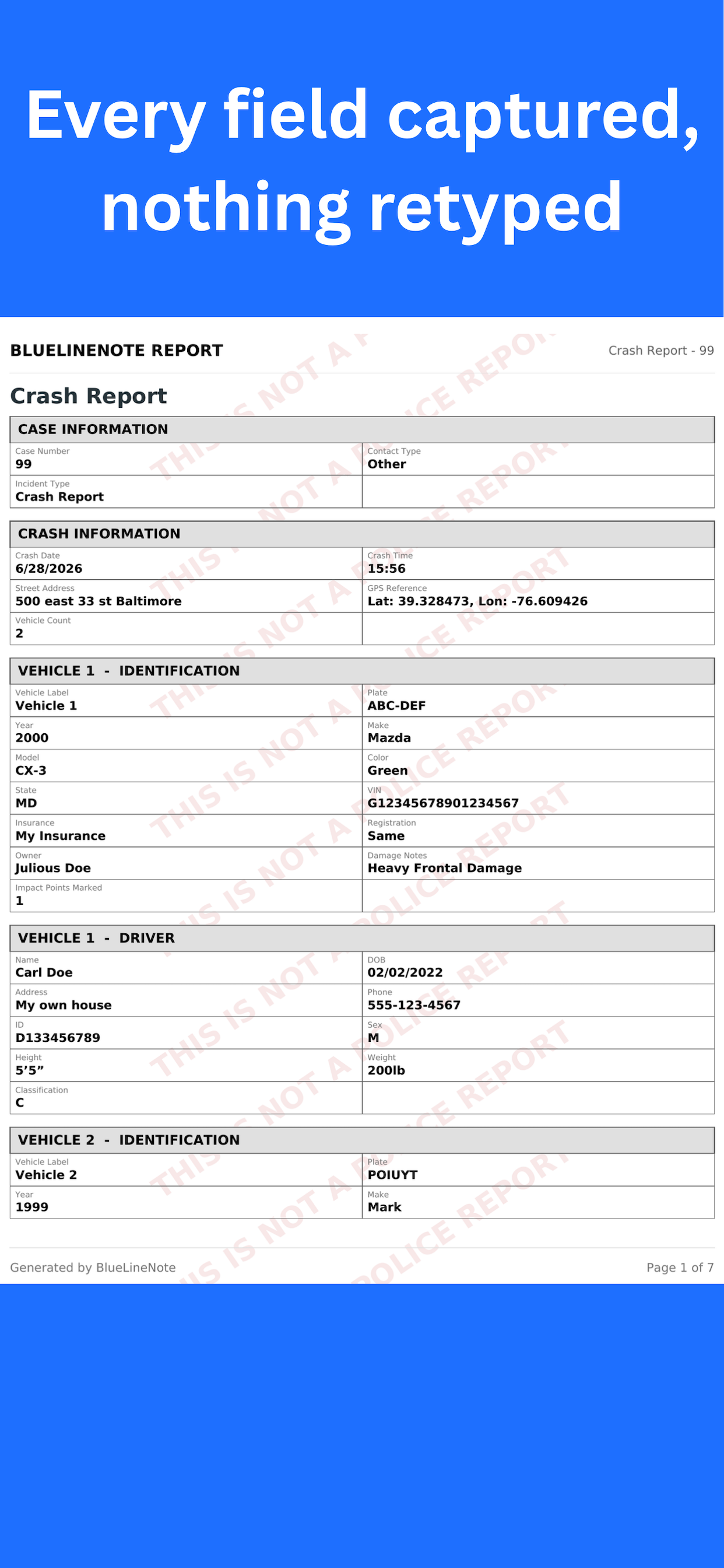
A short walkthrough of the application — capture in the field, review for missing information, and export an agency-ready report.
BlueLineNote is designed to help officers capture the right information earlier, reduce avoidable omissions, and hand off clearer documentation through established agency procedures.
Structured fields guide officers through incident, person, vehicle, crash, and narrative information while they are still working the call.
Built-in report review helps surface incomplete sections and documentation gaps before the report enters the agency workflow.
Officers use the same organized approach across incident reports, crashes, investigations, and supporting documentation.
Scan, dictate, photograph, organize, review, and export from one mobile workflow rather than piecing the report together later.
Scan IDs, dictate notes, photograph supporting details, and record structured incident or crash information.
BlueLineNote groups people, vehicles, narrative content, codes, and attachments into a consistent case workflow.
Check the report for missing fields, incomplete sections, and documentation issues that may require attention.
Generate a clear PDF or supported export for handoff through your agency’s existing review and records process.
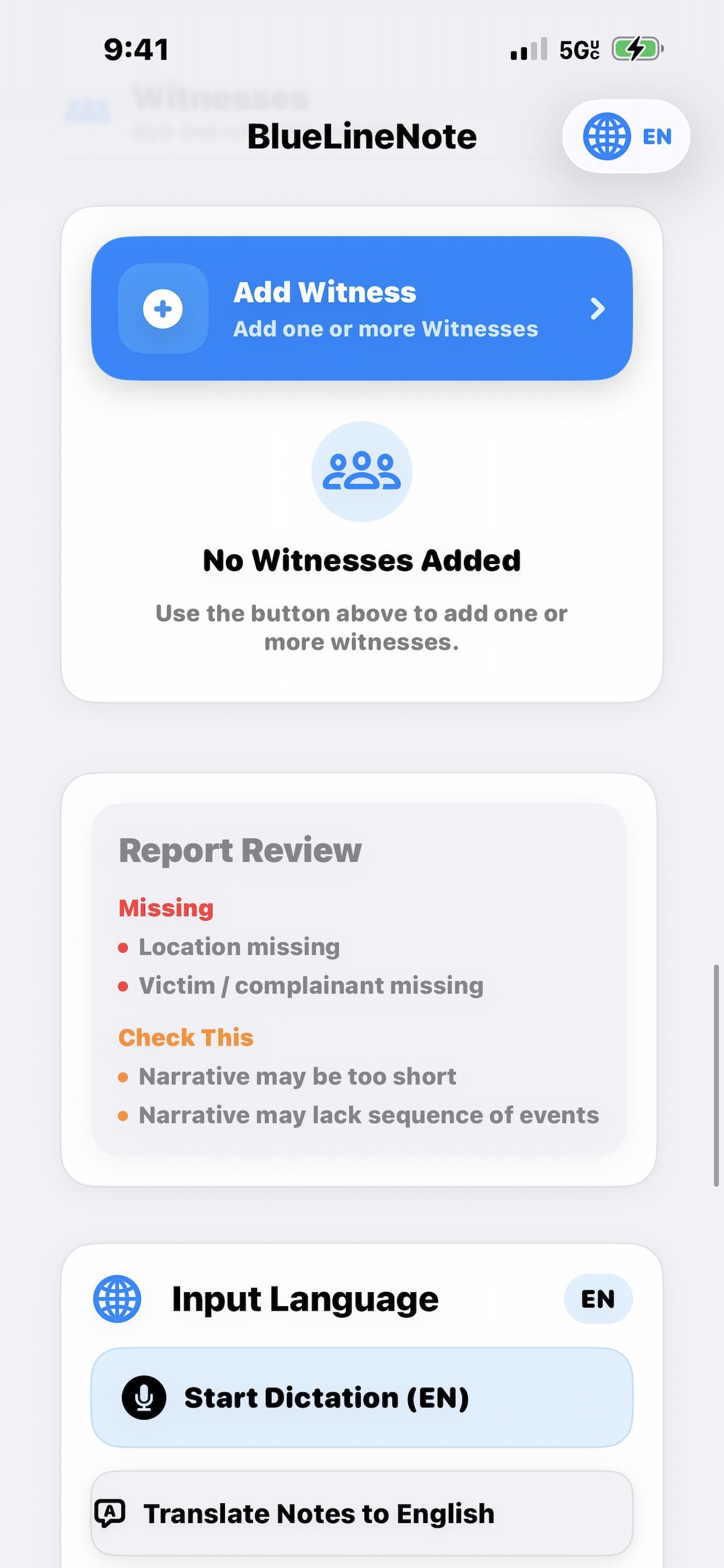
BlueLineNote combines documentation, scanning, voice capture, crash workflows, report review, saved records, and export in one field-focused application.
Organized incident, victim, witness, suspect, vehicle, property, and narrative capture.
Reduce manual entry by scanning identification and dictating notes directly into the case workflow.
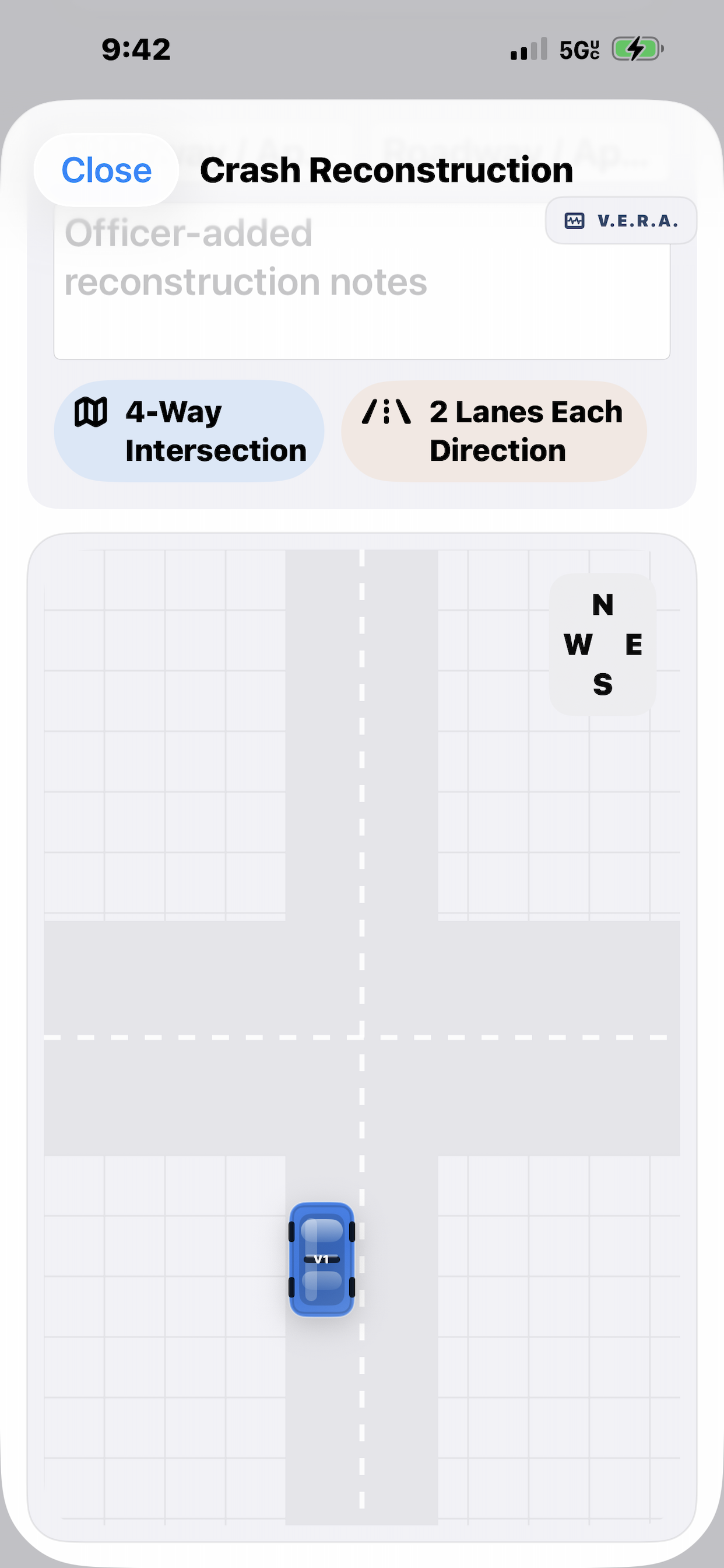
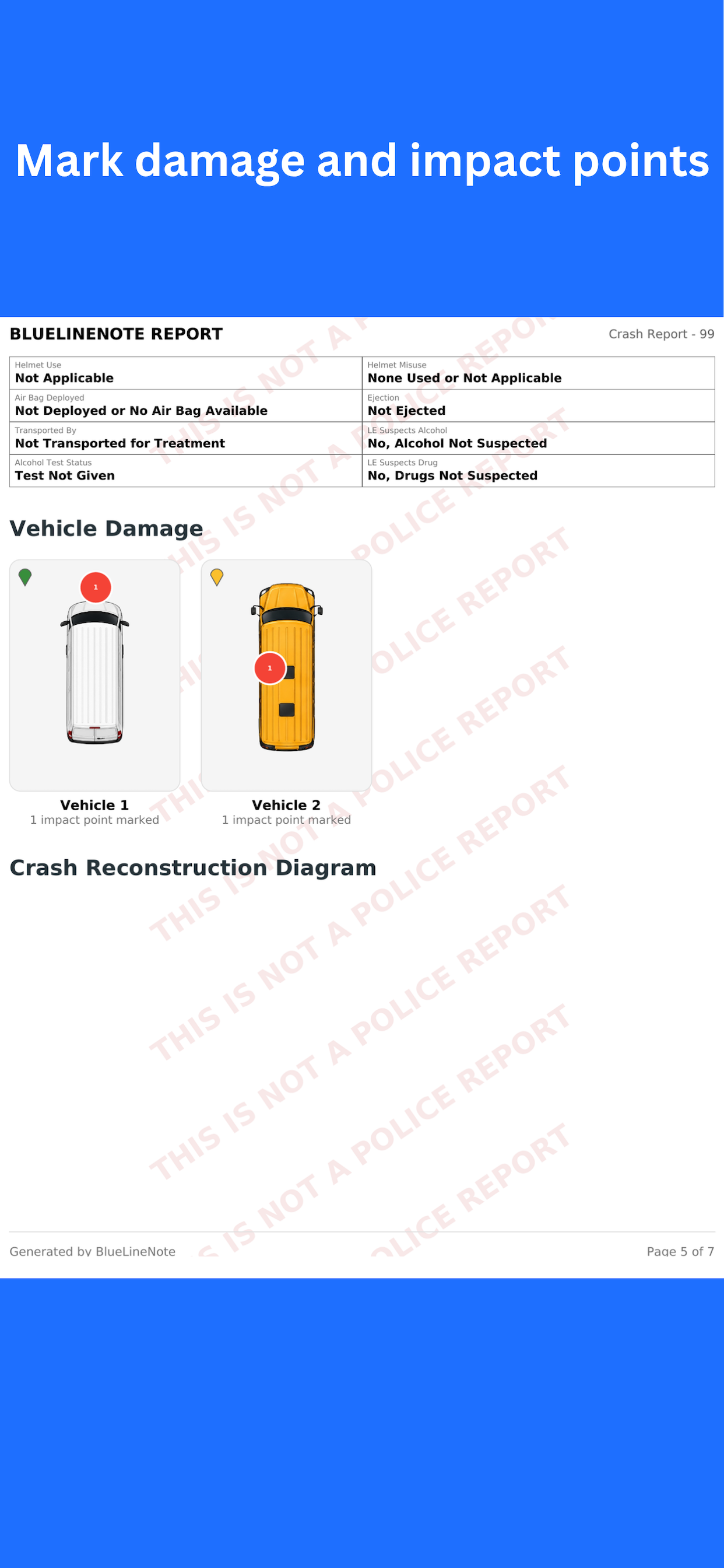
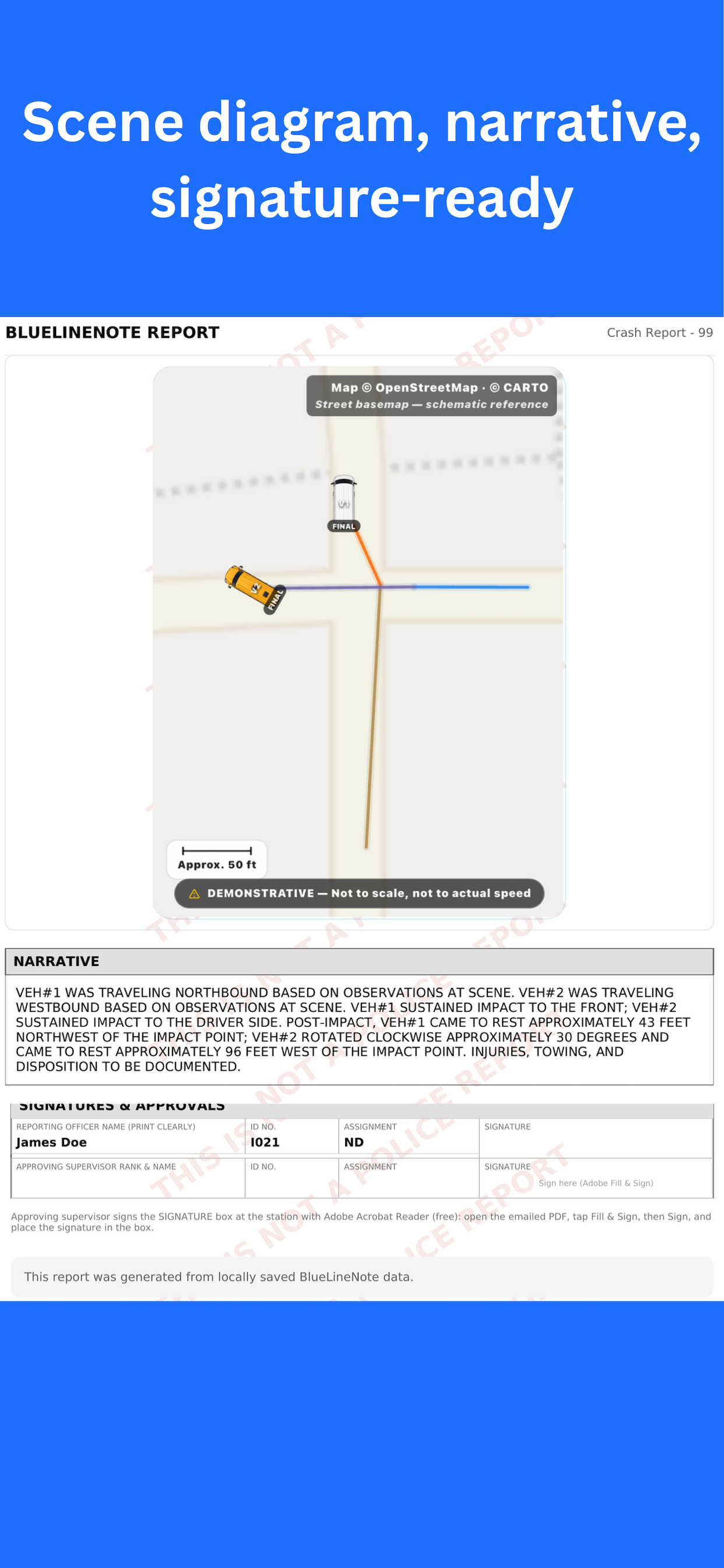
Capture crash details and create structured scene diagrams from the same application.
Review report readiness and produce a clear document for supervisor or agency handoff.
Cross-reference information against an officer’s own saved reports without using an external database.
Agencies need a clear answer about where information lives, and the answer starts with what a phone is actually holding. An officer drafts on the device. A supervisor may sign on the officer’s device, or after the draft is transmitted — either way, a signed draft is still a draft. It leaves the device as a PDF, alongside a NIBRS-structured XML file for your RMS personnel to review. The report exists when your agency processes and files it, in your systems — not on the phone.
Related reading: what makes a police report narrative defensible.
Draft content, photos, scans, diagrams, and narrative stay on the officer’s device until the officer transmits them. BlueLineNote does not receive or keep a copy.
BlueLineNote’s servers validate individual purchases and agency seats. They receive a device identifier and, for metered features, usage counts — not draft content, report content, or attachments.
BlueLineNote does not connect to NCIC, III, or any CJIS system, and receives no data from them. Every field in the application starts blank; all information in a draft is entered by the officer. The device remains subject to your agency’s mobile device management, encryption, and access-control policy, as it already is for every application on it.
Officers can continue capturing field information in areas with weak or unavailable connectivity.
Discovery, retention, records handling, and device-management obligations remain subject to applicable law and agency policy.
The company’s second application, Investigator Suite, is built for private investigators and case investigators on the same rule: no account, no cloud, and no lookup against any external database.
Every agency evaluation runs through the same gate: what does this thing touch, where does the data go, and how do we tell a working draft from the official record. Here is the concern on the left and the design decision that answers it on the right.
Does this application reach into a criminal justice system, and does that pull the agency into a Security Addendum?
No NCIC, no III, no state CJIS interface. Nothing is received from those systems. Every field starts blank and is populated by the officer. Your LASO or state CJIS Systems Officer remains the authority on how the policy applies in your state, and we are glad to work through it with them.
Where does the working draft actually live, and who else ends up holding a copy of it?
BlueLineNote provides no cloud storage and keeps no server-side copy of draft or report content. Our servers see a device identifier and, for metered features, usage counts — nothing an officer typed, photographed, or dictated. There is no vendor-side repository to breach, subpoena, or produce.
How does the agency distinguish an officer’s working draft from the record of the agency?
What sits on the device is a draft, and a signed draft is still a draft. It leaves as a PDF alongside a NIBRS-structured XML file for RMS personnel review, then injection. The report exists once your agency processes and files it — in your system of record, on your retention schedule.
Device encryption, mobile device management, access control, retention, and discovery remain governed by your agency’s policy and applicable law, as they already are for every application on the device.
BlueLineNote includes workflows informed by NIBRS and MMUCC concepts to help officers organize report information more consistently. Final validation, acceptance, and submission remain subject to each state, agency, and RMS environment.
Organize offense, victim, offender, property, and related information in a structure that supports more complete report preparation.
More on NIBRS documentation →Capture collision, harmful-event, vehicle, person, injury-severity, and other crash fields through a guided mobile workflow.
More on crash reporting →The DOJ Bureau of Justice Assistance Standard Functional Specifications for Law Enforcement Records Management Systems, developed by LEITSC, lists a mobile reporting system as a standard internal data exchange for incident reporting and traffic accident reporting. That is the role BlueLineNote occupies. There is no federal certification program for this category, and the specification describes a role rather than endorsing any product.
More on the report writing app →BlueLineNote produces a NIBRS-structured XML file alongside the PDF. Your RMS personnel review it and, subject to your RMS’s link capabilities, may use it for injection into your system of record. BlueLineNote does not submit to NIBRS and does not write to your RMS.
BlueLineNote supports seat-based agency access, centralized activation, customizable branding, and a consistent officer workflow — while drafts stay on each device until the officer transmits them.
Tell us who you are and the approximate size of your agency. We will use the information to start the conversation.
Prefer email? Contact support@bluelinenote.app
Licensed agencies get a private portal. Your authorized point of contact signs in and manages the agency’s roster directly — assign a seat the day a new officer needs it, reclaim one the day someone transfers out. No support ticket. No waiting on a vendor. No phone tag.
Your point of contact assigns an open seat and passes the officer their activation key. New hire on Monday, working on Monday — your roster does not sit in someone else’s queue.
Transfers, retirements, separations. Cancel the seat and it returns to your available pool. The seat is re-keyed automatically, so the departing officer’s key stops working.
Who asked, what they asked for, when, and what happened. Your agency sees its own full activity trail. Nothing changes without a record of who requested it.
Portal accounts are created only by BlueLineNote, only for contacts your agency authorizes, and only on a work email address. Up to two contacts, so coverage does not depend on one person.
Need seats next quarter? Updating your letterhead? Submit it from the portal with your artwork attached, and the request is on file with the date and the person who made it.
The portal manages licensing. It has no path to officer drafts, reports, photos, or narratives. That content stays on the officer’s device until transmitted to your agency, where neither the portal nor BlueLineNote can reach it.
Requests submitted through the portal are reviewed and applied by BlueLineNote, then reflected back to your agency — so your roster stays accurate and every change stays documented.
Request an agency demonstrationPut it in your officers’ hands on real calls, on your own terms. The full product, your agency branding, your own management portal — for 30 days, extendable to 45. No commitment, and nothing to uninstall from a squad car if it isn’t the right fit.
If your agency decides to continue, the pilot converts to a subscription and your contract term begins after the pilot ends — so none of your paid time is spent evaluating. If you decide not to, that’s the end of it. We only ask that you tell us what worked and what didn’t.
Start a pilotFull Pro features, your agency branding on exported PDFs, and your own self-service portal for assigning and reclaiming seats — the same deployment a paying agency runs.
A full cycle of shifts, incidents, and crashes — long enough for your officers and supervisors to judge it on the work, not on a demo. Need a little longer? Extend to 45.
No obligation to buy. If you continue, it becomes a subscription and your contract term starts after the pilot, so your evaluation time is never billed. If you don’t, you owe nothing.
Pilot with one squad or roll it out agency-wide. We will help you set up seats, branding, and your point-of-contact access so your officers are working on day one.
Agency deployments can use department branding, letterhead, case-number formatting, and configured report presentation so exported documents look consistent with the organization using them.
Discuss agency configuration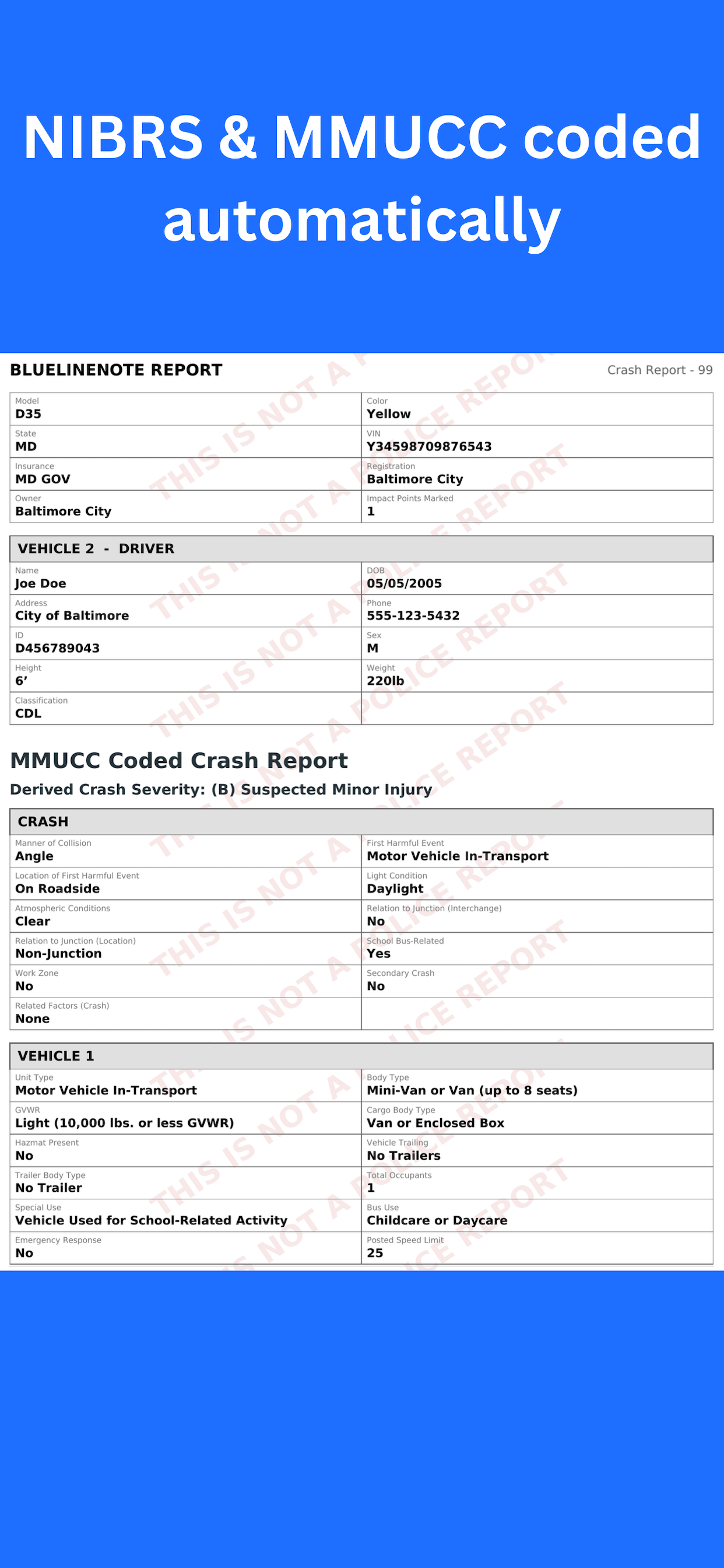
BlueLineNote is licensed per seat, per year. Every seat includes the full product, your agency branding on exported reports, and access to your private management portal — there is no separate setup fee, portal fee, or per-report charge.
For a single squad, a shift, or a small department licensing every officer.
Department-wide deployment at a reduced per-seat rate.
Large agencies, multi-agency, and county-wide deployments are quoted directly.
No setup fee. No onboarding fee. No portal fee. No per-report or per-export charge. Seats are transferable, so turnover does not cost your agency a license.
Agencies that need a formal quote, W-9, or vendor documentation for procurement can request it at sales@bluelinenote.app. Individual officers can download BlueLineNote directly from the App Store or Google Play.
Case folders for investigators. On the device, and nowhere else.
Built for private investigators and investigators working cases rather than calls. Open a case folder and everything about that case lives in one place — people, notes, photographs, timeline, and the identification you scanned along the way. No more one case spread across a camera roll, a voice memo, and a legal pad.
Separate application, separate purchase. An agency BlueLineNote seat does not include Investigator Suite, and it is not required to use it.
People, vehicles, interviews, leads, notes, photographs, and a timeline — organized in one folder instead of scattered across a phone and remembered later.
Photograph a licence or identification card and the text is recognized on the device. You check it before it saves, because a worn card in bad light is a guess, not a fact.
Require Face ID, Touch ID, or a passcode to open the app. Case content stays on the device, and the encrypted backup is a single password-protected file only you can open.
Switch language any time and the exported record follows — the same case, produced in whichever language it needs to be read in.
Your agency runs the full product — complete Pro features, your branding on exported PDFs, and your own management portal — for 30 days, extendable to 45, with no commitment. If your agency decides to continue, the pilot converts to a subscription and your contract term begins after the pilot ends, so none of your paid time is spent evaluating. If you decide not to continue, you owe nothing. To start one, email sales@bluelinenote.app.
Core field documentation is designed to work offline. Functions that depend on external services or email availability may require connectivity.
The officer’s draft. An officer drafts on the device; a supervisor may sign on that device or after the draft is transmitted, but a signed draft is still a draft. It leaves the device as a PDF, with a NIBRS-structured XML file for your RMS personnel to review. The report exists once your agency processes and files it — in your systems, not on the phone. BlueLineNote stores no server-side copy of either.
No. Licensing validates access and seat status. BlueLineNote’s servers receive a device identifier and, for metered features, usage counts — never the content an officer enters.
Your agency does. Licensed agencies get a private portal where your authorized point of contact can view every seat and activation key, assign an open seat to an officer, reclaim a seat when someone leaves, and request additional seats. Canceled seats are re-keyed automatically, so the old key stops working. Every action is recorded and visible to your agency.
No. The portal administers licensing and seats only. It has no access to draft or report content, photos, or narratives — that content stays on the officer’s device until it is transmitted to your agency.
No. BlueLineNote is a mobile reporting system that sits in front of your RMS. It can capture officer and supervisor sign-off on the device and carry that approval block into the exported document, but a signed draft is still a draft — the RMS remains the system of record, and the report exists once your agency files it. Retention, validation, and submission continue through your established process and systems.
BlueLineNote does not connect to NCIC, III, or any CJIS system and receives no data from them. Every field starts blank and is populated by the officer. The CJIS Security Policy applies to entities that access, process, store, or transmit Criminal Justice Information; BlueLineNote’s servers receive no draft or report content. The device itself stays under your agency’s existing mobile device management, encryption, and access-control policy. The FBI CJIS Security Policy, version 6.0 and later, is publicly available and may be shared without restriction — we are glad to work through it with your LASO or your state CJIS Systems Officer, who are the authorities on how it applies in your state.
No software can universally guarantee acceptance across every jurisdiction and RMS. BlueLineNote provides structured workflows informed by national standards, while final requirements remain controlled by the applicable state, agency, and system.
Yes. Agencies can discuss a limited evaluation, deployment approach, seat count, branding, and workflow configuration through the agency contact form.
Investigator Suite is a separate application from the same company, built for private investigators and investigators working cases rather than calls. It organizes a case into one folder — people, notes, photographs, timeline, scanned identification — with on-device ID scanning, dictation, a Face ID lock, encrypted backup, and full English and Spanish. It is a separate purchase: an agency BlueLineNote seat does not include it, and it is not required to use BlueLineNote. The first three case folders are free, then one payment unlocks it — no subscription.
Yes, on the same rule. No account, no cloud, and no server-side copy of case content. The application performs no lookup against any external database — every field starts blank and is filled by the investigator. The encrypted backup is a single password-protected file the investigator holds and stores wherever they choose.
BlueLineNote is built for incident documentation, crash documentation, and report preparation. If you need help, have a question, or want to report an issue, write to us directly.
Questions about features, agency licensing and seat management, backup and restore, purchases and subscriptions, and reporting a problem with the application. The same address handles Investigator Suite.
For privacy and user protection, BlueLineNote does not provide cloud storage or developer access to user-generated drafts, reports, scans, or records. We cannot retrieve, restore, or view your content — including if a device is lost or an unencrypted backup is unavailable.
Users are responsible for managing, exporting, backing up, and deleting their own data, and for following their department’s policies for handling and retaining any information recorded using BlueLineNote.
Perspective on field documentation, report quality, and the day-to-day realities the app is built around.
Start with a conversation about your agency’s current process, the officers who would use the application, and the reporting problems you want to reduce.
Start a 30-day agency pilot